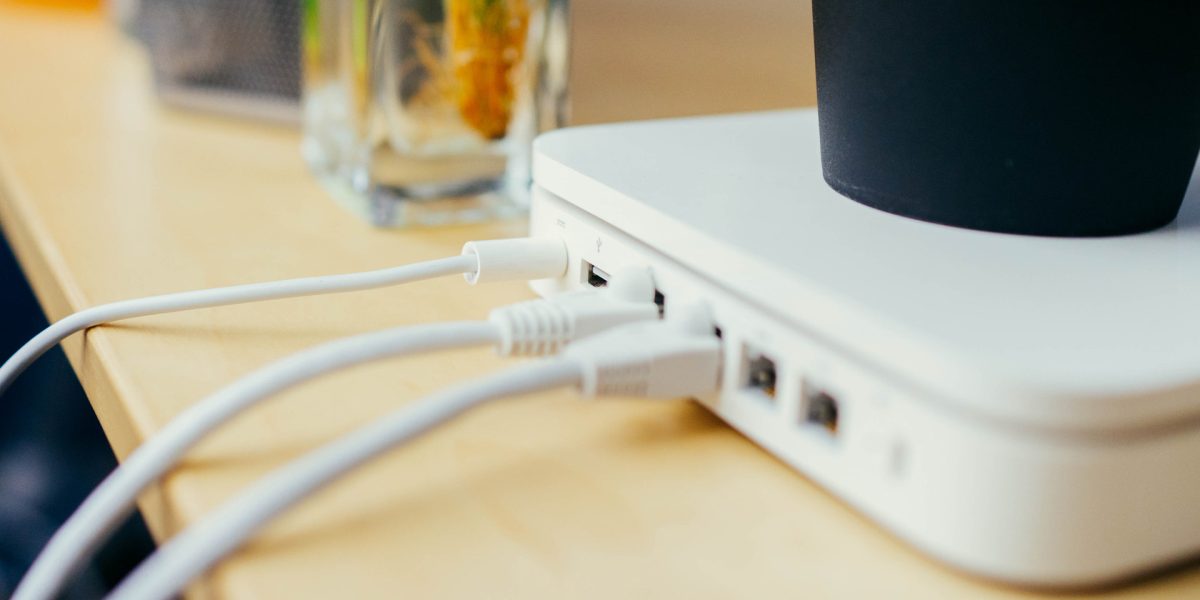
Let’s be honest: routers aren’t winning any home décor awards. Those blinking lights and dangling cords don’t exactly scream “living room centerpiece,” so it’s tempting to tuck yours away in a cabinet, closet, or behind the entertainment center where no one has to look at it.
Here’s the thing, though. Where you place your router can make a bigger difference in your home WiFi performance than almost any other free fix out there. If your video calls keep freezing or your favorite show buffers at the worst possible moment, your router’s hiding spot might be to blame.
Why Router Placement Affects Your WiFi Signal
Your router communicates with your devices using radio waves, and those waves don’t travel well through solid objects. Every wall, cabinet door, appliance, and piece of furniture between your router and your phone, laptop, or smart TV weakens the signal a little more.
That’s why a router stuffed inside a media cabinet often delivers noticeably slower speeds than the exact same router sitting out in the open, even on the same internet plan. You’re not getting less internet from your provider; your signal is just getting muffled before it reaches your devices.
4 Simple Router Placement Tips for Better WiFi
The good news? You don’t need to buy anything to improve your connection. A few small adjustments can go a long way.
Keep it in a central location
WiFi radiates outward from your router in all directions, like ripples in a pond. Placing your router near the center of your home, rather than in a far corner or the basement, helps the signal reach every room more evenly.
Place it out in the open
We get it, routers aren’t pretty. But cabinets, closets, and drawers block and absorb WiFi signals. Give your router some breathing room on an open shelf or table, and your connection will thank you.
Set it up off the floor
Signals travel better when the router is elevated. A bookshelf, desk, or wall mount a few feet off the ground helps the signal spread across your home instead of soaking into the floor.
Keep it away from metal objects and other electronics
Metal reflects and blocks WiFi signals, and devices like microwaves, baby monitors, and cordless phones can cause interference. Give your router a little distance from the fridge, the TV, and that stack of baking sheets.
Still Having WiFi Trouble? It Might Not Be the Router’s Fault
If you’ve tried these tips and your connection still isn’t keeping up, the issue may be your internet plan or the technology behind it. Larger homes, more connected devices, and bandwidth-hungry activities like streaming in 4K or working from home can all demand more than an older connection can deliver.
That’s where fiber internet shines. With faster speeds, lower latency, and a more reliable connection, fiber internet from Intermax Networks is built to handle everything your connected home throws at it. You can also explore our residential internet plans to find the right speed for your household, or visit our support resources for more troubleshooting help.
Let’s Get You Connected
A well-placed router is a great start, and the right internet service makes all the difference. If you’re curious whether Intermax fiber is available in your neighborhood, check availability at your address or reach out to our local team. We’re always happy to answer your WiFi questions, no tech jargon required.
Have a WiFi question you’d like us to cover in a future post? We’d love to hear it.
Find Connection with Intermax Networks
Locally owned and operated since 2001, we’re proud to offer high-speed wireless internet, fiber, voice services, and more to thousands of residential and commercial customers. Headquartered in Coeur d’Alene with offices in Spokane, Seattle, Sandpoint, and St. Maries, Intermax is the local’s choice for reliable service in hard-to-reach places.
Our friendly support team is here to answer any questions you may have. Visit Intermax Networks, or call us at (208) 568-7979 today!